Availability
Know what's free before you pitch.
Mark what's taken outside Gleqta, see it next to your campaigns on one calendar, and check any site against your client's dates wherever you pick it. It warns you and never blocks you.
What you get
One calendar for every site
Sites down the side and the weeks across. Campaigns, bookings and holds show on the site they belong to, and clashes are named.
- Six weeks, three months or six months at a time
- Drag across the dates to mark a booking
- Tick several sites and mark them in one go
Bookings made outside Gleqta
A partner sold it, a partner resold one of yours, or you sold it direct. Mark the dates and you're done. The brand, the slots and a note are optional.
Holds
Keep a site for one of your clients while they decide. A hold ends by itself, so a forgotten one never ties up a site.
Free for your client's dates
Set the dates once. Every site shows Free, Partly free, Booked till or On hold, wherever you pick sites.
- Free only hides what's taken
- Slots: how many of a screen's slots are free
- DOOH counts only the days a booking runs, such as weekends
Ask the partner
Not sure a partner's site is free? Gleqta writes the message, listing the sites and your dates, ready to paste into WhatsApp or email. Mark them confirmed when they reply.
- Each site shows when the partner last confirmed it
Warned, never blocked
Bookings you've marked count in the clash warnings when you convert a proposal, add a site or change dates. The decision stays with you.
In the app
Real screens, from a demo agency.
Northstar Outdoor is our demo agency. The clients and brands on these screens are made up.
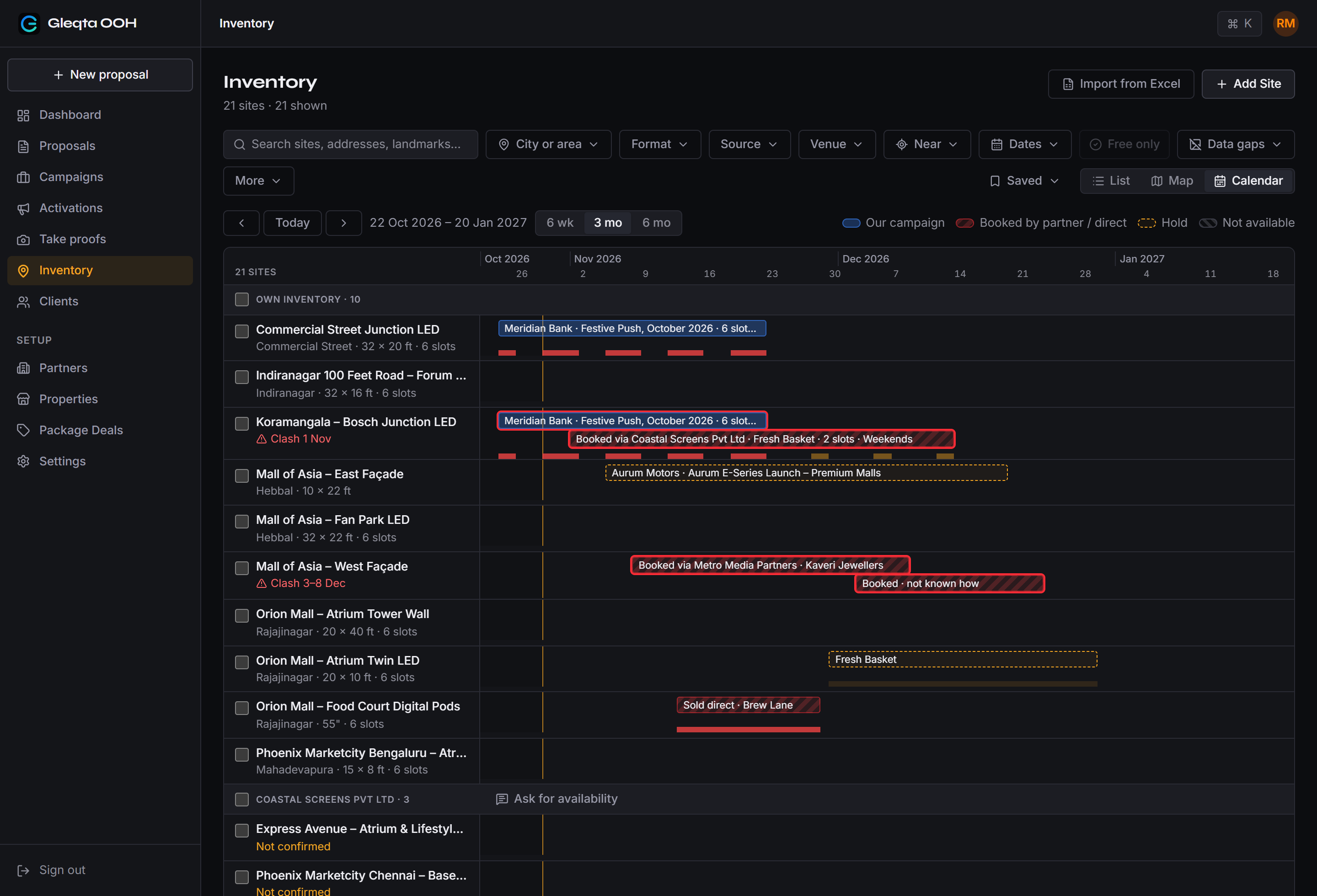
Everything that takes a site, on one calendar.
Your campaigns, partner bookings, direct sales and holds. A clash is named on the site, so you see it before your client does.
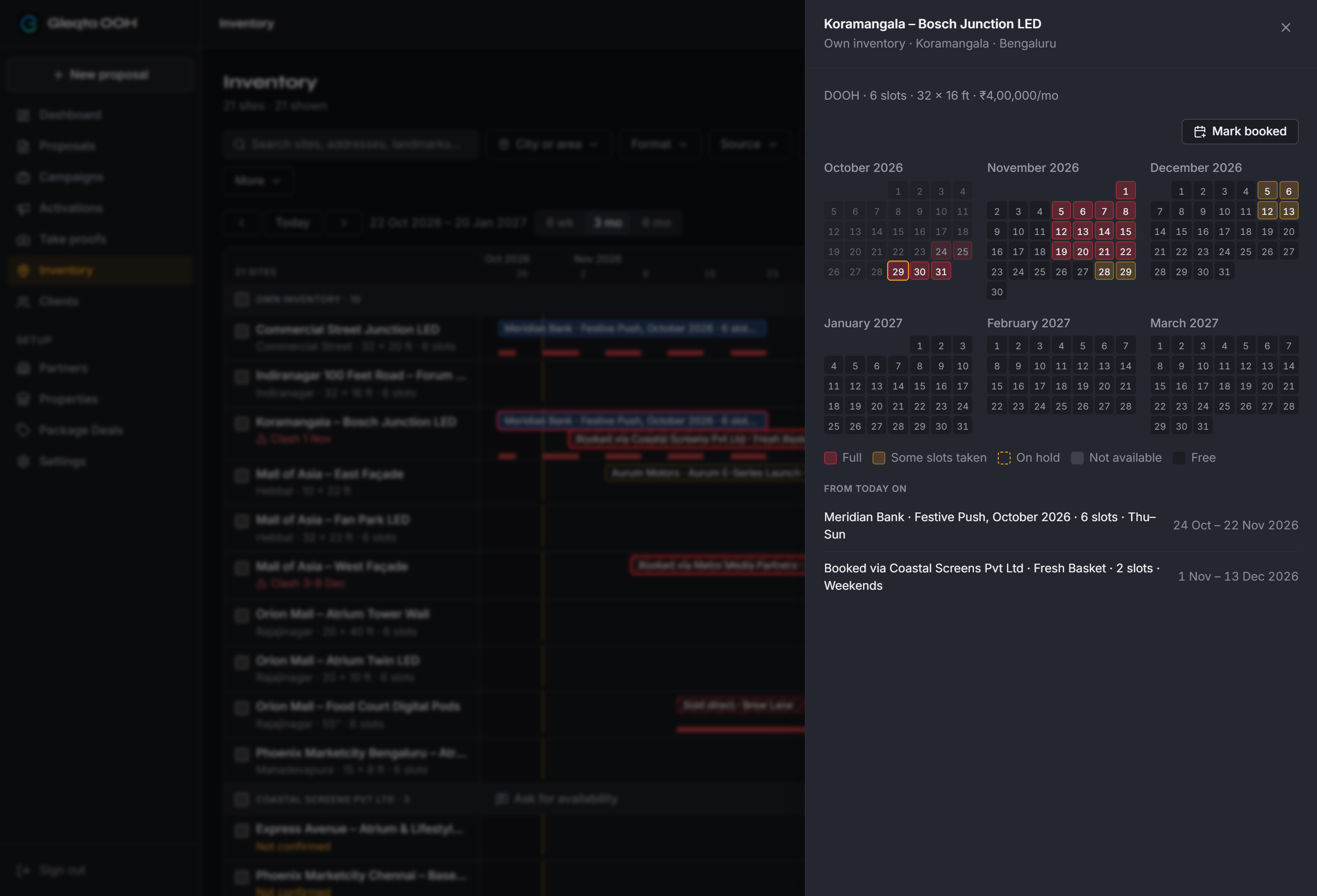
Six months of one site, at a glance.
Full, partly taken, on hold or free, day by day, with what's coming up listed underneath.
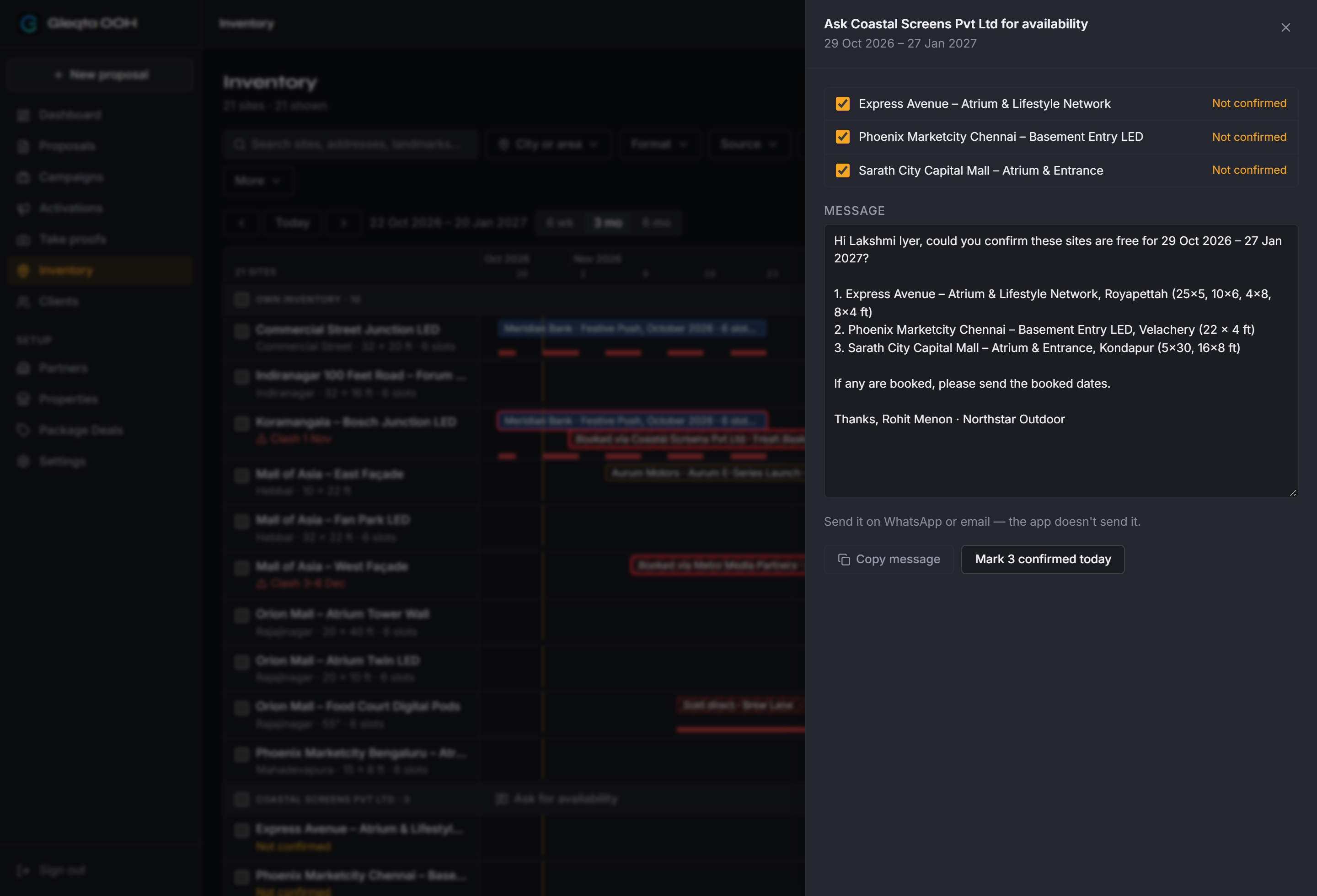
The message to the partner, already written.
Pick the sites, copy it, send it on WhatsApp. When they reply, mark the sites confirmed today.
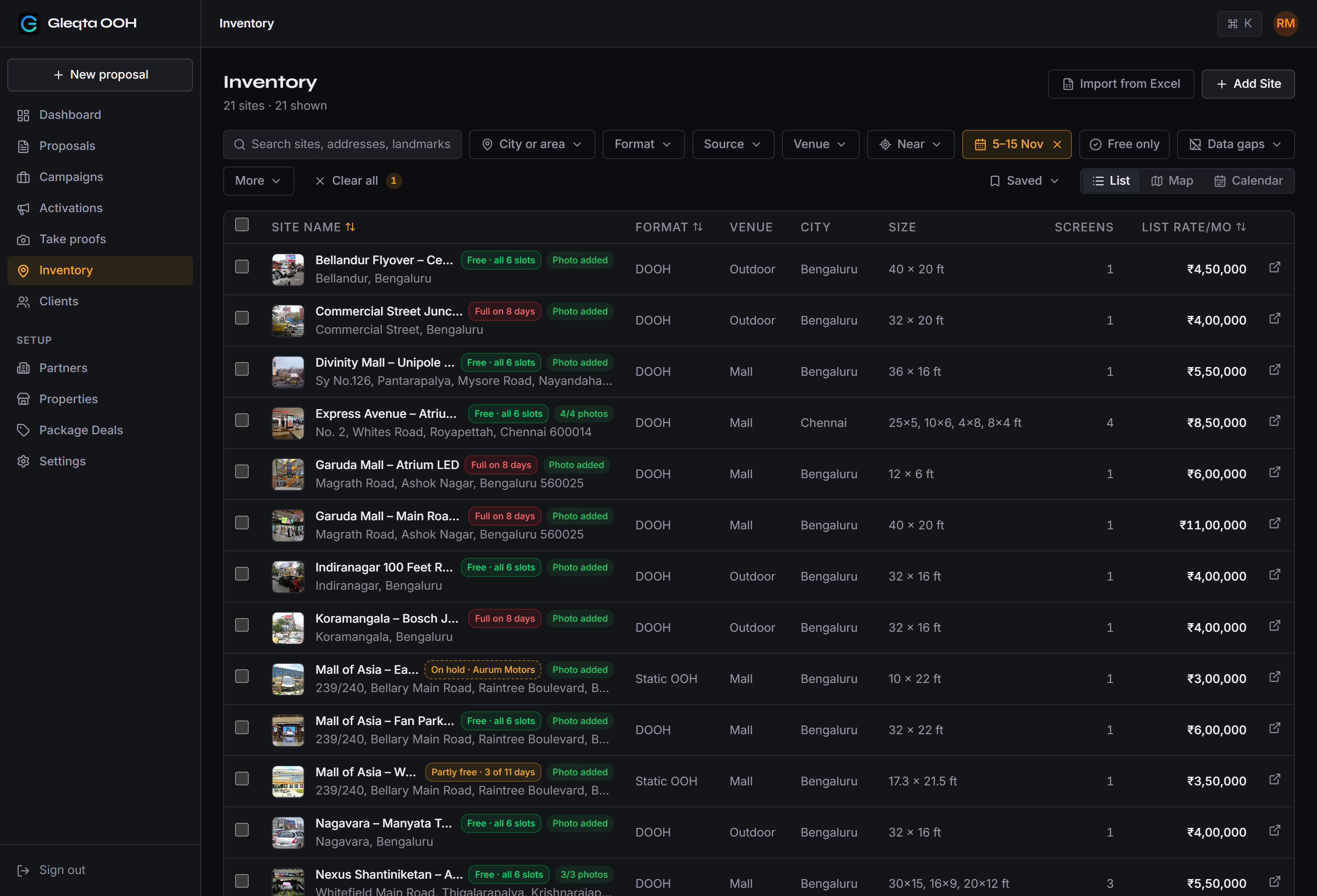
Set your client's dates. Every site says what it is.
Free, partly free, full or on hold for exactly those days, in the list and wherever else you pick sites.
FAQ
Common questions
Still have a question? Email us.
Does a booking block anything?
No. Gleqta warns you, for example when you convert a proposal or add a site that clashes with a booking you've marked, and you decide.
Do our partners update availability themselves?
Not yet. You mark what they tell you, and each site shows when its partner last confirmed it, so you know how fresh the answer is.
What do we have to mark by hand?
Only what happens outside Gleqta. Campaigns you convert here show up on the calendar on their own.
How are DOOH slots and days handled?
A booking can take some of a screen's slots and only certain days, such as weekends. Availability counts only the days a booking actually runs.
See it with your own sites.
We set you up. Book a 30-minute demo.